FANUC CNC Simulator
FANUC CNC Simulator
FANUC America Corp. has released the new FANUC CNC simulator, bringing the popular CNC to the classroom and providing students with exposure to FANUC CNCs without the need for a full mill or lathe. The FANUC CNC simulator is based on the FANUC series 0i - Model F platform and can be operated in either milling or turning configurations. Students can program the simulator as a 3-axis mill or a 2-axis/1-spindle turning system.
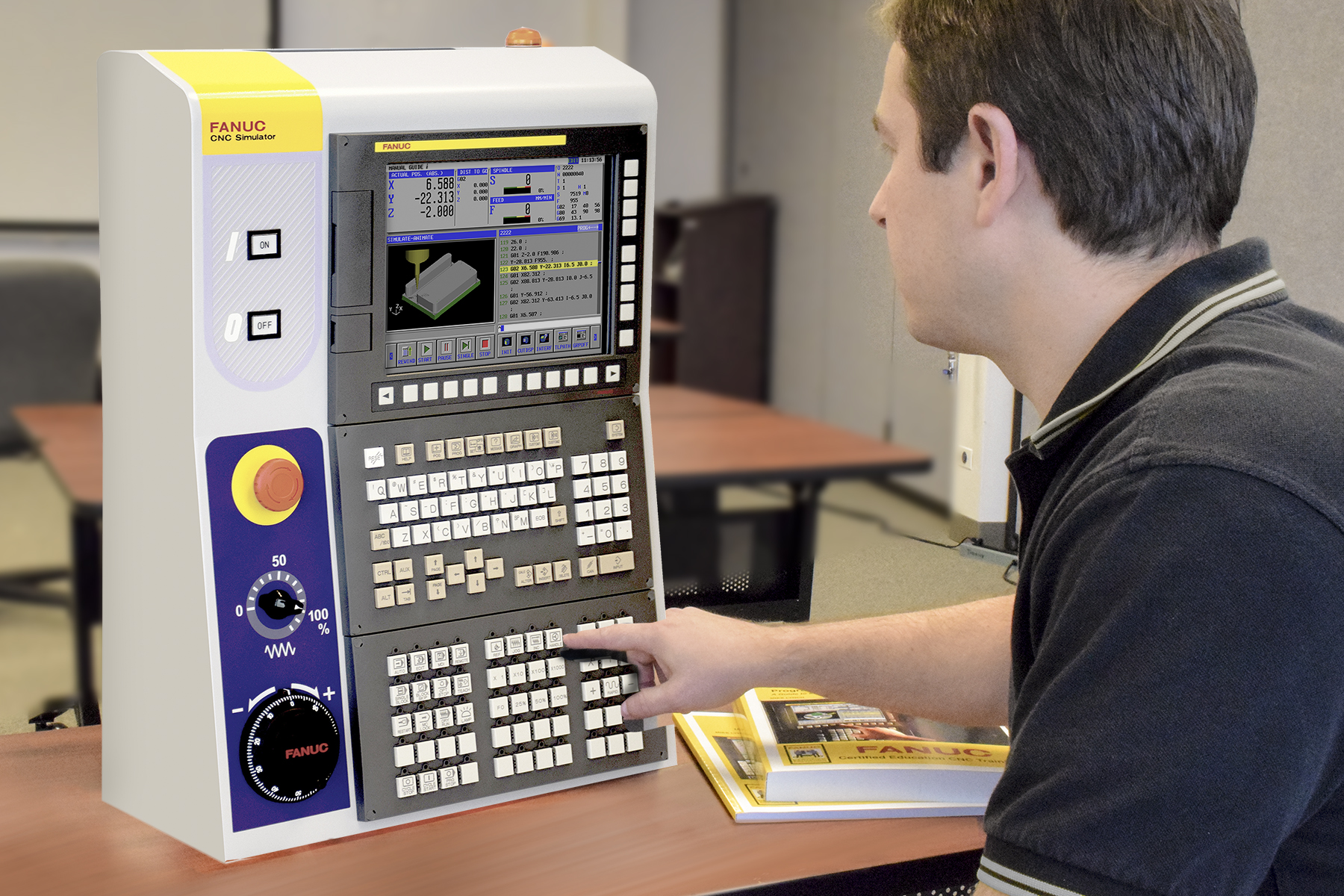
FANUC America Corp. has released the new FANUC CNC simulator, bringing the popular CNC to the classroom and providing students with exposure to FANUC CNCs without the need for a full mill or lathe. The FANUC CNC simulator is based on the FANUC series 0i - Model F platform and can be operated in either milling or turning configurations. Students can program the simulator as a 3-axis mill or a 2-axis/1-spindle turning system. The simulators are portable and require only a standard wall outlet for power.
The CNC simulator is a complete FANUC CNC with a 10.4" LCD monitor and a QWERTY keyboard, so students will experience the look, feel and layout of the control as they navigate and program a fully functioning CNC. Students can transfer the programs to the machines using the built-in Ethernet connections or standard Flash ATA or USB interface.
The FANUC CNC simulator comes loaded with FANUC Manual Guide i conversational programming interface, which allows users to graphically generate programs that are simulated in 3-D prior to being converted back to conventional NC programs and used on machine tools. The interface simplifies programming and enhances productivity. By learning process-oriented conversational programming students can focus on machine operations instead of just G code, which leads to faster, more efficient operations.