


From machine to CAM programming
The Get With the Program column in the December 2017 issue of Cutting Tool Engineering highlights one shop's process for implementing CAM software.
Brent Beistel got his start in the metalcutting profession sweeping floors and cleaning chip pans at a machine shop soon after he completed high school. However, Beistel’s knack for producing parts eventually led to him heading the shop’s lathe department.
“Within a year of me taking over and setting up the lathes, I was programming all of them right at the machine,” Beistel said. Although the shop employed a programmer, Beistel wanted to learn to do it on his own. “Also, so I didn’t bug him for programs all the time.”
That scenario changed after he launched his own company, Beistel Machining Inc., Donora, Pa., and purchased his first CNC machine tool, a Doosan DNM 400 vertical machining center. Beistel bought the machine from Allegheny Machine Tool Systems Inc., McMurray, Pa., which is also a reseller of software from GibbsCAM by 3D Systems Inc. (www.gibbscam.com), Moorpark, Calif.
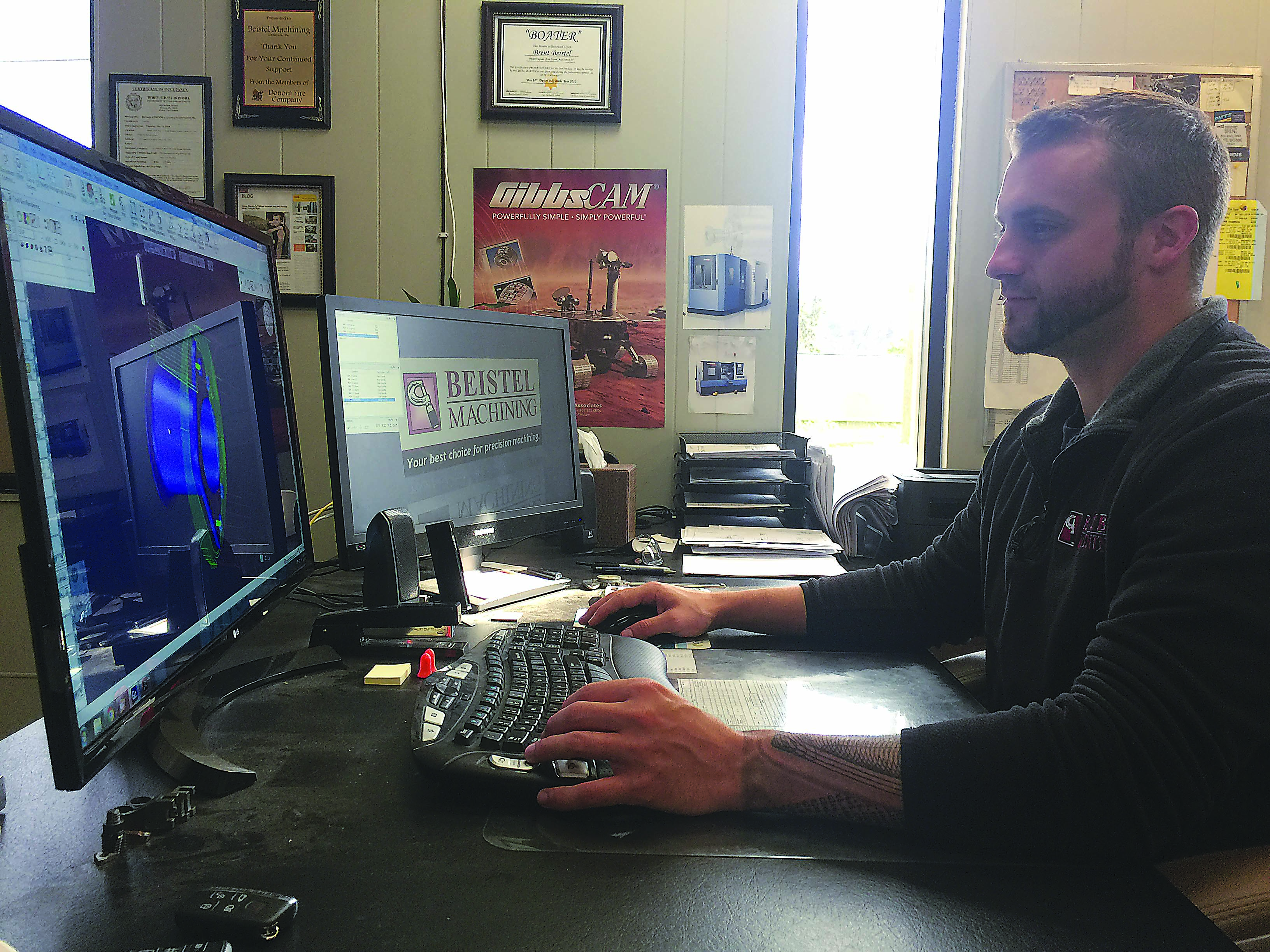
Brent Beistel installed GibbsCAM software at Beistel Machining after purchasing the shop’s first CNC machine. All images: Beistel Machining.
Beistel started with the GibbsCAM production milling option because he needed the software only for the VMC. As the job shop grew, he added options such as those for tombstone management and MTM (multitask machining).
On one program alone, Beistel said, tombstone management saved him up to 6 hours of programming time. The job required seven different work offsets for each side of the four-sided tombstone for a total of 28 different offsets. Rather than programming every individual part on every individual side of the tombstone, the option enables programming one part and duplicating it across the entire tombstone. “That also cut the work offsets from 28 to seven,” he said.
Beistel added that GibbsCAM has a reputation of being easy to use. He recalled writing a few programs and making parts with them the first day he got the software, but MTM is the package’s most complex component. “Only because there is so much you can do,” he said, adding that MTM lets the shop produce parts in one setup that previously required three or four. “You’re pretty much using everything GibbsCAM offers all in one machine.”
In one MTM application, Beistel said his company produced completed parts in two operations on a multitask machine that would have typically required two lathe operations and two milling operations. After facing the part and boring the ID in the first operation, the second operation involved loading the part onto a mandrel, groove-turning the OD, cylindrical milling (C-axis) the flange, drilling the off-center holes and inscribing the company initials on the outside of the flange.
An element of the CAM package that has universal applicability throughout the shop is the VoluMill toolpath option, Beistel emphasized. According to Moorpark-based Celeritive Technologies, the software’s developer, VoluMill runs seamlessly inside GibbsCAM and other CAM systems and enables a high-material-removal-rate capability to help end users create fast, efficient toolpaths for milling. The process automatically takes into account the best option for milling pockets, including the speed of a tool plunging into the material and its mrr.
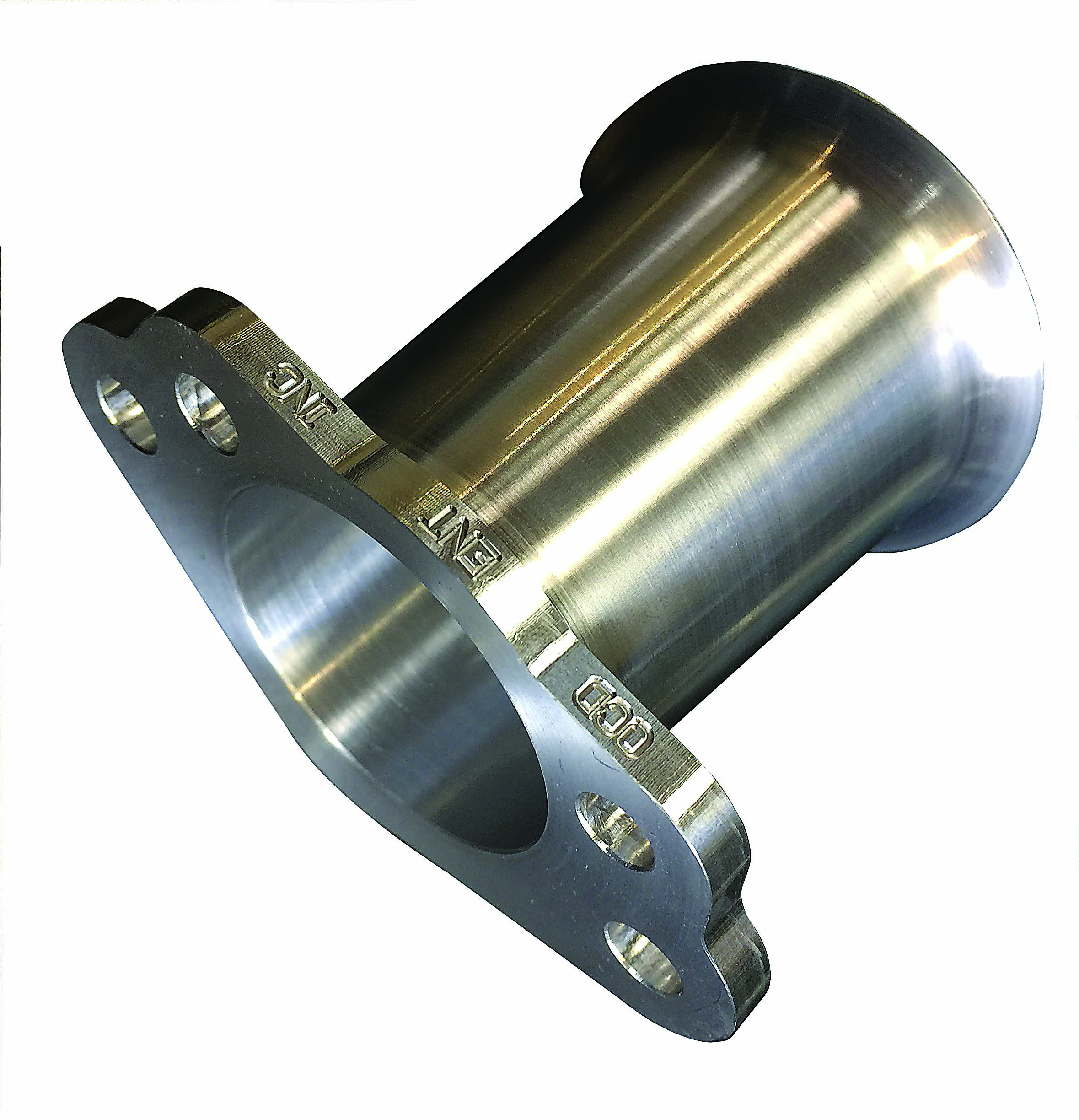
With GibbsCAM’s MTM option, Beistel Machining completed this part in two operations on a multitask machine that would have typically required two lathe operations and two milling operations.
“I’ve been using it for 4 or 5 years now,” Beistel said, “and it is absolutely—by far—the best thing we use.” He estimated that VoluMill paid back its approximate $2,500 cost in about 2 months. Now, however, the option is free with each new GibbsCAM milling license.
Although still something end users must pay for, Beistel said it’s wise to include maintenance with the CAM software. Maintenance enables shops to receive software updates and support, which includes post-processor editing, at no additional cost.
When Beistel needs a new post, he said he taps into the reseller’s large library of posts for a host of different machines. If Beistel finds that a post could be improved, he’ll email the post department at GibbsCAM with the post file and machine definition document attached and a description of what he needs. For instance, he needed to activate the air blast on a multitask machine to clear chips from chuck jaws before transferring a part to the subspindle’s chuck.
“Sure enough, they emailed the post back, I posted the program, and it blew the air out,” Beistel said.
For more information about Beistel Machining Inc., Donora, Pa., visit www.beistelmachining.com or call (724) 823-0099.
Glossary terms in this article
Related
Subscribers can use MFGAxis notes, saves and discussion tools with their innoNET account.